



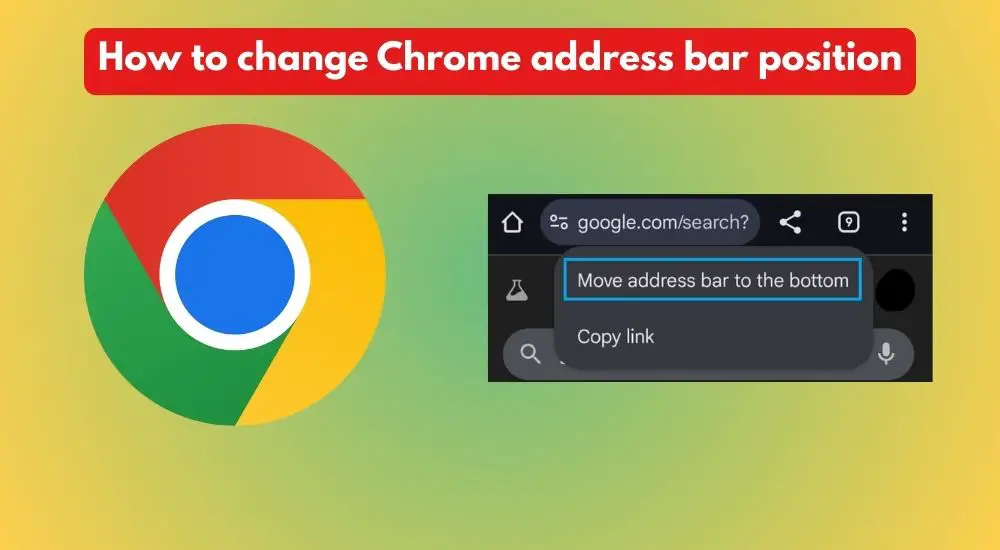
Have you ever wanted to bring your Chrome browser address bar to the bottom to help your finger easily maneuver and type? Many other browsers, such as Brave does this, but Chrome took years to bring it up for users. Better late than never, it’s now possible.
Why do people prefer Android’s Chrome address bar at the bottom?
The answer is rather obvious and natural. It’s to help with fingers reaching the bar to trigger the keyboard to type keywords or site names. For instance, I use a Samsung Galaxy S23 Ultra, and it’s a 6.8-inch phone. Though the display size is good for consuming content, it’s rather inconvenient when it comes to typing things on Chrome.
After opening the Chrome app, I almost always have to readjust my palm to reach the address bar at the top. It’s the same case for many. I am sure many users feel it the same way.
Additionally, people would prefer the address field to be positioned at the bottom for the sake of a refreshing look. The bottom position flips the space opposite, and you get an all-content screen on top.
There are three ways to do this, as far as I know.
Let’s cut to the chase from the easiest.
How to get your phone’s Google Chrome Address Bar at the bottom?
Here are the steps to reposition Android’s Google Chrome address bar to the bottom:
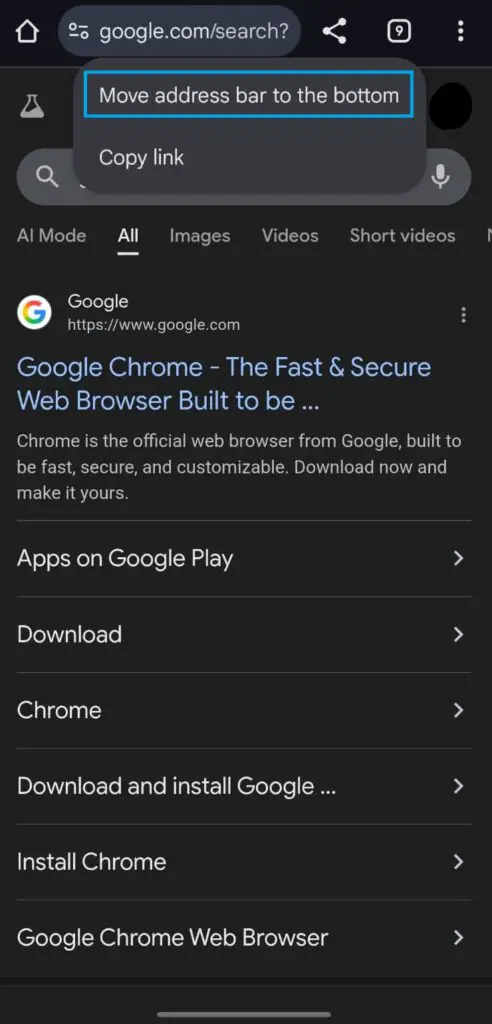
By long pressing:
- Open the Google Chrome app on your phone
- Long-press the address bar
- It gives you the option to either move the address bar to the top or bottom, depending on its current position
- Tap on the option to move the bar to change its positioning
Via Settings
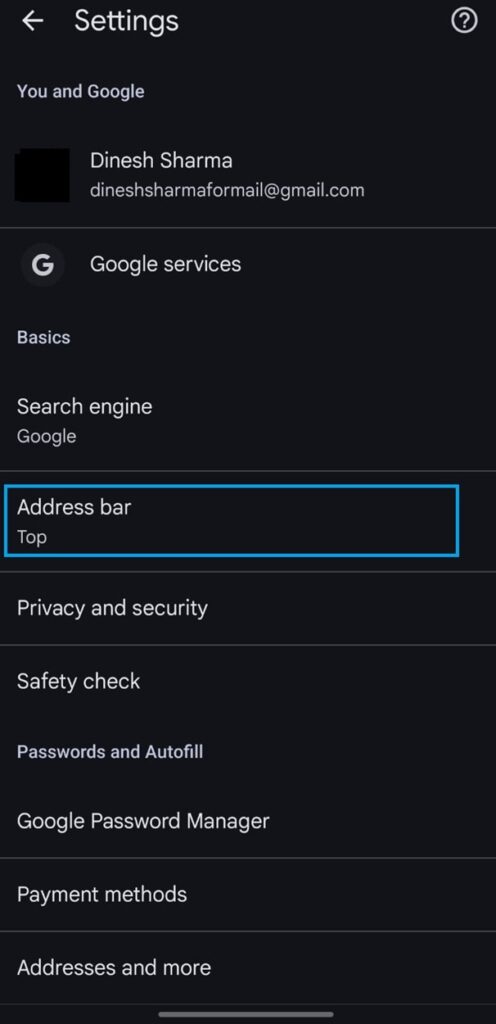
- Open the Chrome app
- Tap on the three vertical dots, then tap on Settings
- Tap on the Address Bar and choose between the Top and the Bottom to switch the position
Via Chrome://flags/
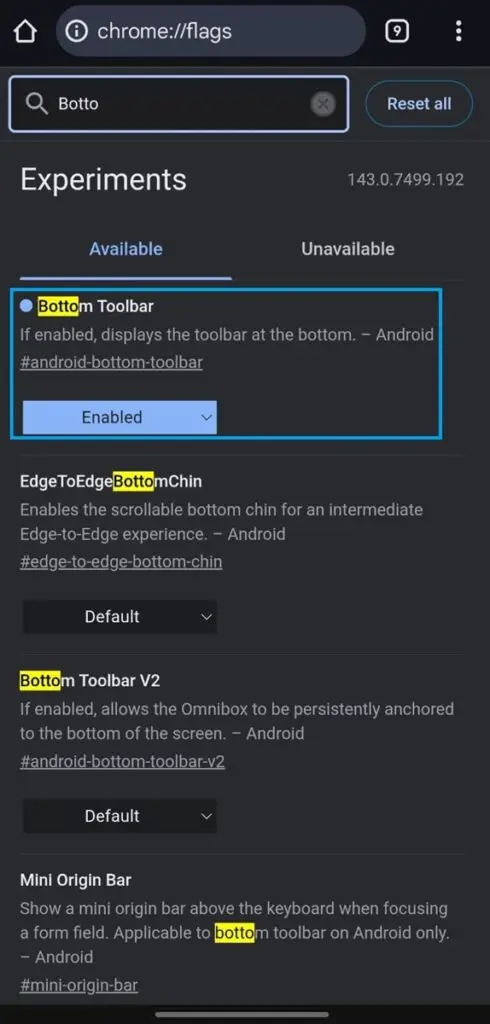
- Open the Chrome browser
- Enter Chrome://flags/ in the address bar
- Enter Bottom Toolbar
- Tap on the option below where it shows ‘Default’ and switch to ‘Enabled’ to get the address bar at the bottom
These are the three ways you can get your Chrome’s tedious address bar at the bottom. At the same time, you can use the same steps to revere its position to the top.
You can use similar settings to change the address bar position on other smartphone browsers, such as Microsoft Edge, Opera, Brave, Samsung Internet, etc. That’s because the browsers are built usingthe Chromium engine.
We hope this post has been very helpful to you. For any further queries, let us know in the comment box below.